

How to Structure Technical Product Content So AI Engines Can Cite It

Technical product content becomes easier to cite when it gives people and retrieval systems the same thing: explicit facts, complete context and verifiable evidence. State what the product is, identify the exact model or family, publish critical specifications in HTML, explain operating limits and show where each claim came from.
No format guarantees an AI citation. Google’s current guidance says its AI search features rely on established SEO fundamentals and need no special AI markup or fixed chunk size. The opportunity is more durable than a formatting trick: turn product pages from digital brochures into dependable engineering references, and you’ll win with both AI engines and human visitors.
As you read this article, if terms such as grounding and retrieval are unfamiliar, refer to our GEO and AEO terms guide for more background.
- What makes technical content source-ready?
- A citation-ready product page blueprint
- Lead with a precise answer
- Use consistent names and identifiers
- Label specifications so they cannot be misread
- Publish application fit and exclusions
- Add comparison and selection context
- Show evidence and ownership
- Keep gating strategic
- Connect HTML, PDFs, CAD and video
- Add structured data without overpromising
- Create review and change controls
- A reusable page outline
- Prioritize the rollout
- Frequently asked questions
What makes technical content source-ready?
A source-ready page answers a narrow question completely enough to be understood away from its surrounding marketing copy. It uses stable terminology, labels values and conditions, distinguishes facts from recommendations and links claims to evidence. Microsoft’s AI guidance likewise recommends precise headings, measured claims and useful tables or lists where they fit the reader’s task.
For industrial buyers, that usually means six elements:
- A direct product summary
- Stable names and identifiers
- Specifications with units and conditions
- Application fit and limitations
- Comparison or selection context
- Evidence, authorship and revision history
These elements support classic search, AI-assisted research and the engineer who arrives to verify a recommendation. They also fit the later-stage behavior described in the engineer research journey.
A citation-ready product page blueprint
| Page section | Buyer question | Content to publish | Why it matters |
| Product summary | What is it and who needs it? | Two or three factual sentences | Establishes scope and entity |
| Key specifications | Will it meet my constraints? | Labeled HTML table with units | Makes decision facts scannable |
| Applications | Where does it fit? | Specific environments and use cases | Connects product to problems |
| Limits | When should I not use it? | Exclusions, derating and caveats | Prevents misleading retrieval |
| Options and compatibility | Which configuration works? | Models, accessories and interfaces | Supports selection questions |
| Proof | Why trust the claim? | Standards, tests, case evidence | Makes statements verifiable |
| Resources | Where are full details? | Datasheets, CAD, manuals and videos | Supports deeper validation |
| Ownership | Is this current? | Reviewer, revision date and history | Shows accountability |
The sequence is intentional. The summary gives context; the table supplies facts; the limits prevent overgeneralization; the evidence lets a person verify the answer.
Lead with a precise answer
Open with what the product is, what problem it solves and the conditions that distinguish it. Avoid making the reader decode a slogan.
Weak: “The Series X delivers innovative performance for demanding applications.”
Source-ready: “The Series X is a stainless-steel pressure regulator for high-purity gas systems. It supports inlet pressures up to 3,000 psi at 70°F and is available with 1/4-inch or 3/8-inch connections.”
The stronger version identifies a product class, material, application, limit and configuration. It also gives a reviewer facts to confirm.
Answer-first does not mean every paragraph should be short. It means the conclusion arrives before background, and necessary qualifications travel with the claim.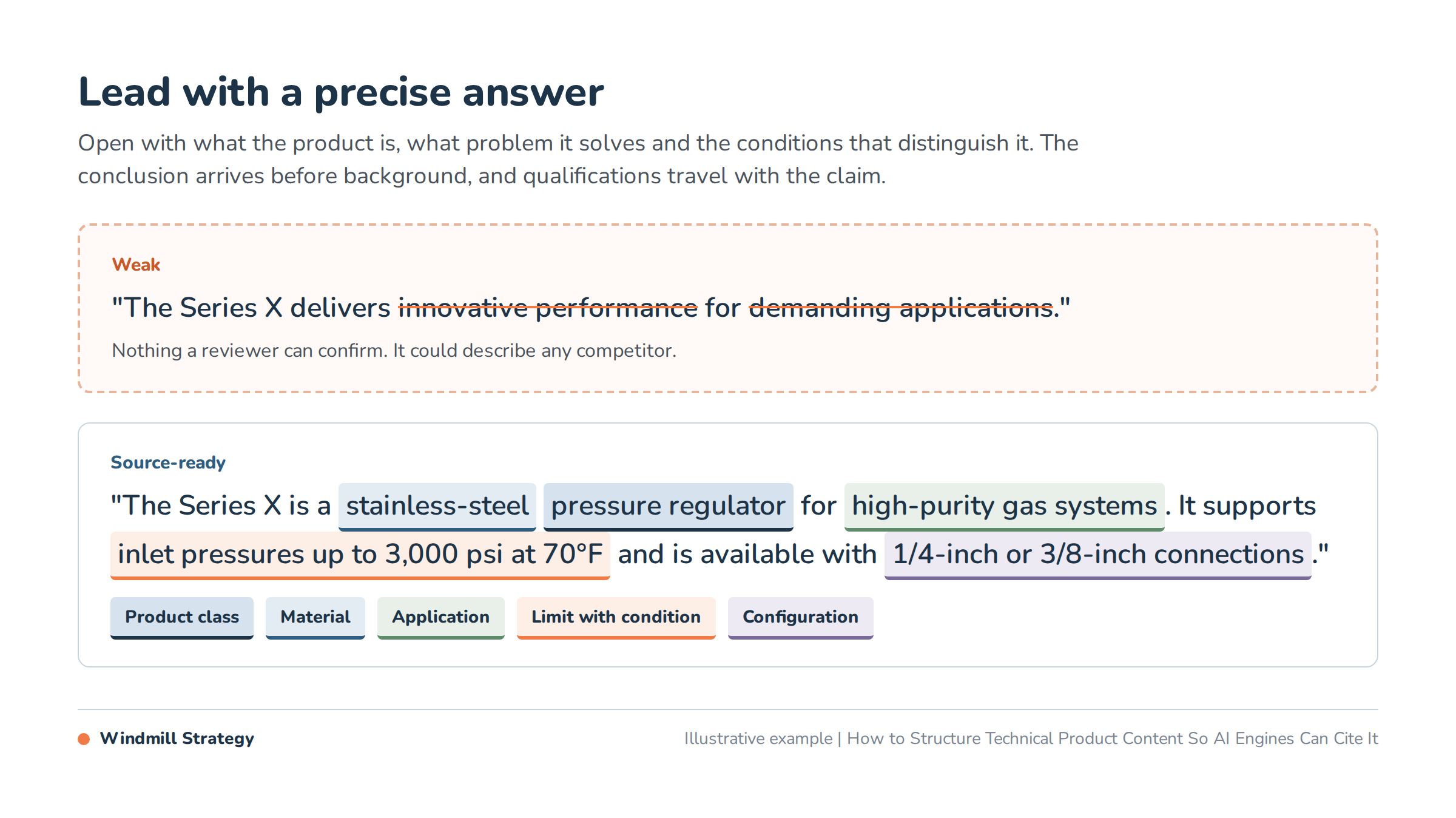
Use consistent names and identifiers
Manufacturing sites often describe the same item differently across navigation, ERP data, PDFs and distributor feeds. One page may say “Series X,” another “X-Series,” and a datasheet may use only a part prefix. People can sometimes reconcile that ambiguity; automated systems may treat the references as different entities.
Create a naming record for every product family:
- Official product and family name
- Manufacturer and brand
- Model, SKU or part-number pattern
- Common industry synonym
- Previous name, if buyers still use it
- Canonical URL
- Related variants and accessories
Use the official name in the H1, opening summary, title tag, breadcrumb and structured data. Mention genuine synonyms naturally; do not repeat variant phrases simply to target keywords.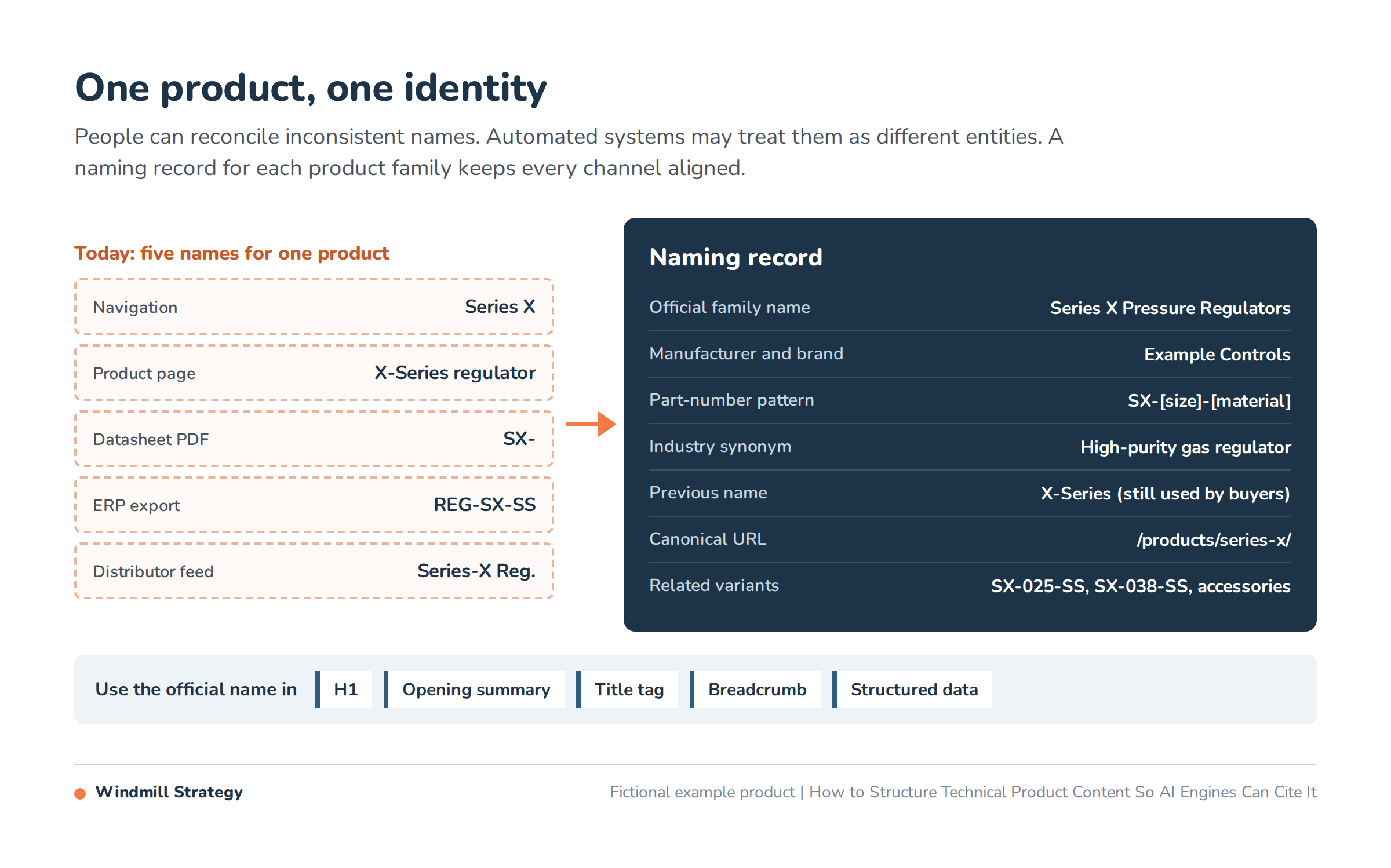
Label specifications so they cannot be misread
A number without a unit, tolerance or test condition is not a complete fact. Build specification tables around decisions, not database field names.
| Ambiguous field | Better field | Necessary context |
| Temperature | Operating temperature | Range, unit, medium and derating conditions |
| Pressure | Maximum inlet pressure | Unit, temperature and static or dynamic condition |
| Accuracy | Accuracy at reference conditions | Method, range and applicable standard |
| Material | Wetted materials | Components included and available options |
| Size | Port size | Connection type, thread and nominal size |
Use real HTML tables for critical values. Make row and column headers explicit. Keep comparable units consistent and provide conversions when buyers routinely use both systems. If a value varies by model, show the model in the same row or link to a stable variant table.
Do not hide all decision data in accordions that fail without scripts, images of tables or downloadable files. A PDF can remain the controlled technical record while the page presents a maintained subset of its essential facts.
Publish application fit and exclusions
Many product pages explain what a product can do but omit when it should not be used. That creates weak buyer guidance and increases the chance that a generated answer overextends a capability.
For each priority product, document:
- Suitable applications and media
- Environmental and duty-cycle limits
- Incompatible materials or interfaces
- Required accessories or upstream conditions
- Regulatory or regional restrictions
- When a different product family is the better choice
Write exclusions with the same clarity as benefits. “Not rated for oxygen service” is more useful than a buried legal note. If selection depends on application data, say what an engineer must provide before the recommendation can be finalized.
Add comparison and selection context
AI-assisted research often begins with comparative questions: X versus Y, best option for a constraint, compatible models or trade-offs between materials. If your site publishes no honest comparison, other sources define the decision for you.
A useful comparison includes shared criteria, meaningful differences and a stated selection rule. It does not need to attack competitors. Compare your own families, technologies or configurations when that better serves the buyer.
For example:
| Selection condition | Choose configuration A | Choose configuration B |
| Priority | Lower mass and cost | Higher corrosion resistance |
| Environment | Controlled indoor use | Washdown or chemical exposure |
| Constraint | Moderate duty cycle | Continuous high-duty operation |
| Confirm before use | Load and temperature | Media compatibility and certification |
Show evidence and ownership
Claims such as “high precision,” “long life” and “industry leading” are difficult to verify. OpenAI’s search guidance cautions that citations can be incomplete, outdated or wrong, which gives manufacturers another reason to make primary evidence easy to inspect. Replace or support broad claims with evidence:
- A numerical result and test method
- A recognized standard and certification scope
- A named application example
- A case study with baseline, intervention and measured outcome
- A technical reviewer with relevant credentials
- A link to the controlled document or source
Separate test results from field observations. Name the test conditions. If a performance value is typical rather than guaranteed, label it. If a case outcome depends on a particular application, preserve that context.
Windmill applied a related content principle for Bestorq. The company’s technical PDFs became indexable HTML and a searchable resource hub, helping important information become discoverable while keeping deeper resources available. The Bestorq content results show why HTML and downloadable engineering assets should work together.
Keep gating strategic
Do not require a form to access facts a buyer needs to determine basic fit. Gated specifications cannot support discovery and are frustrating during validation.
Keep these elements public when commercial and compliance constraints allow:
- Core specifications
- Application and compatibility guidance
- Certifications and standards
- Installation requirements
- Product-selection logic
Reserve forms for assets that justify the exchange: configured drawings, design reviews, samples, quote requests, proprietary calculators or high-value technical consultations. The page should explain what the user will receive after submitting.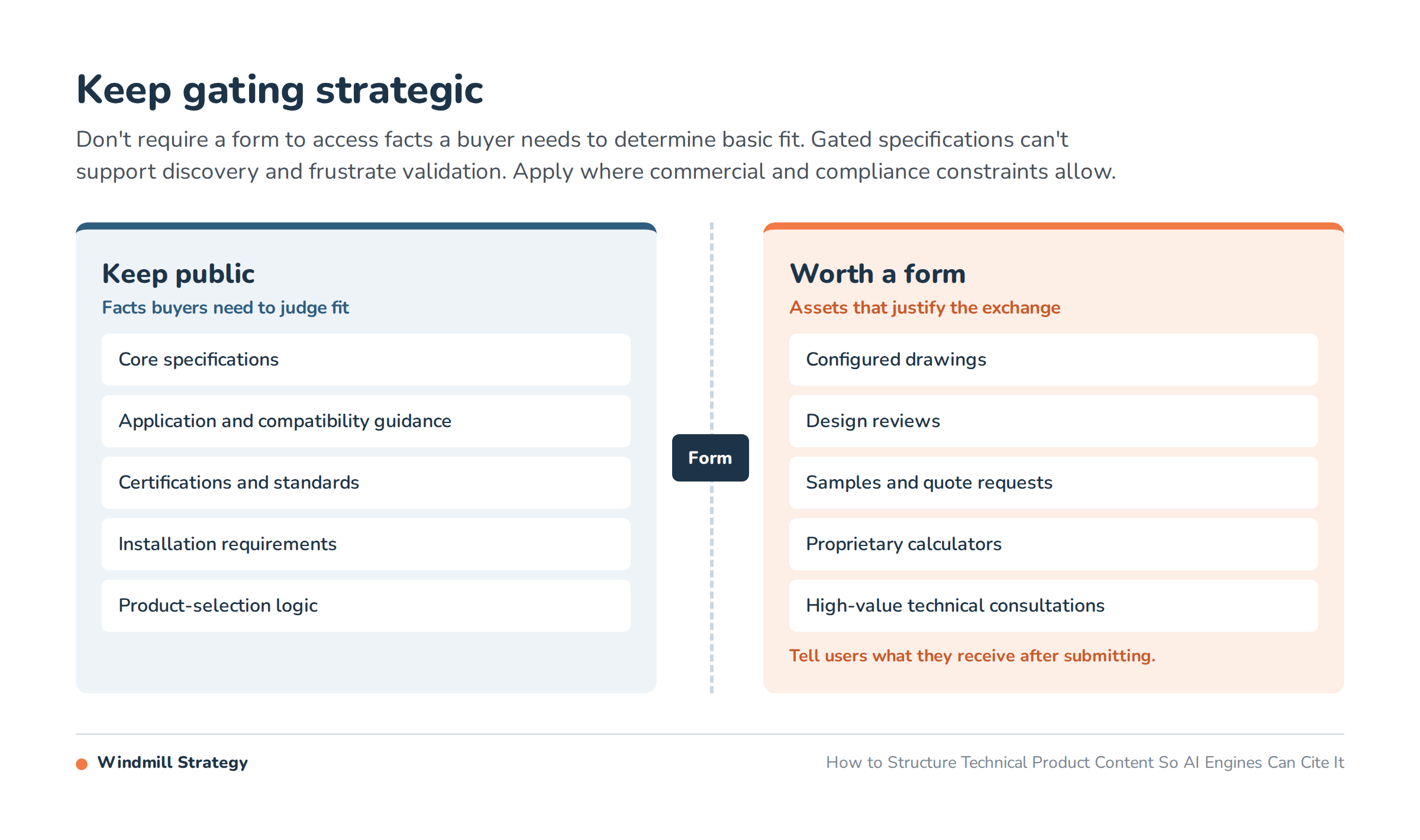
Connect HTML, PDFs, CAD and video
Engineers use multiple formats. The answer is not to replace every PDF; it is to give each format a clear job.
- HTML: discovery, orientation, comparison and essential facts
- PDF: controlled datasheets, manuals and printable records
- CAD/BIM: design integration
- Video: setup, operation and visible proof
- Sales or engineering: application-specific validation
Use descriptive link text, stable file names and visible revision dates. Link the HTML page to the current asset and, where practical, link the PDF back to its canonical product page. Retire outdated files or mark them clearly as archived.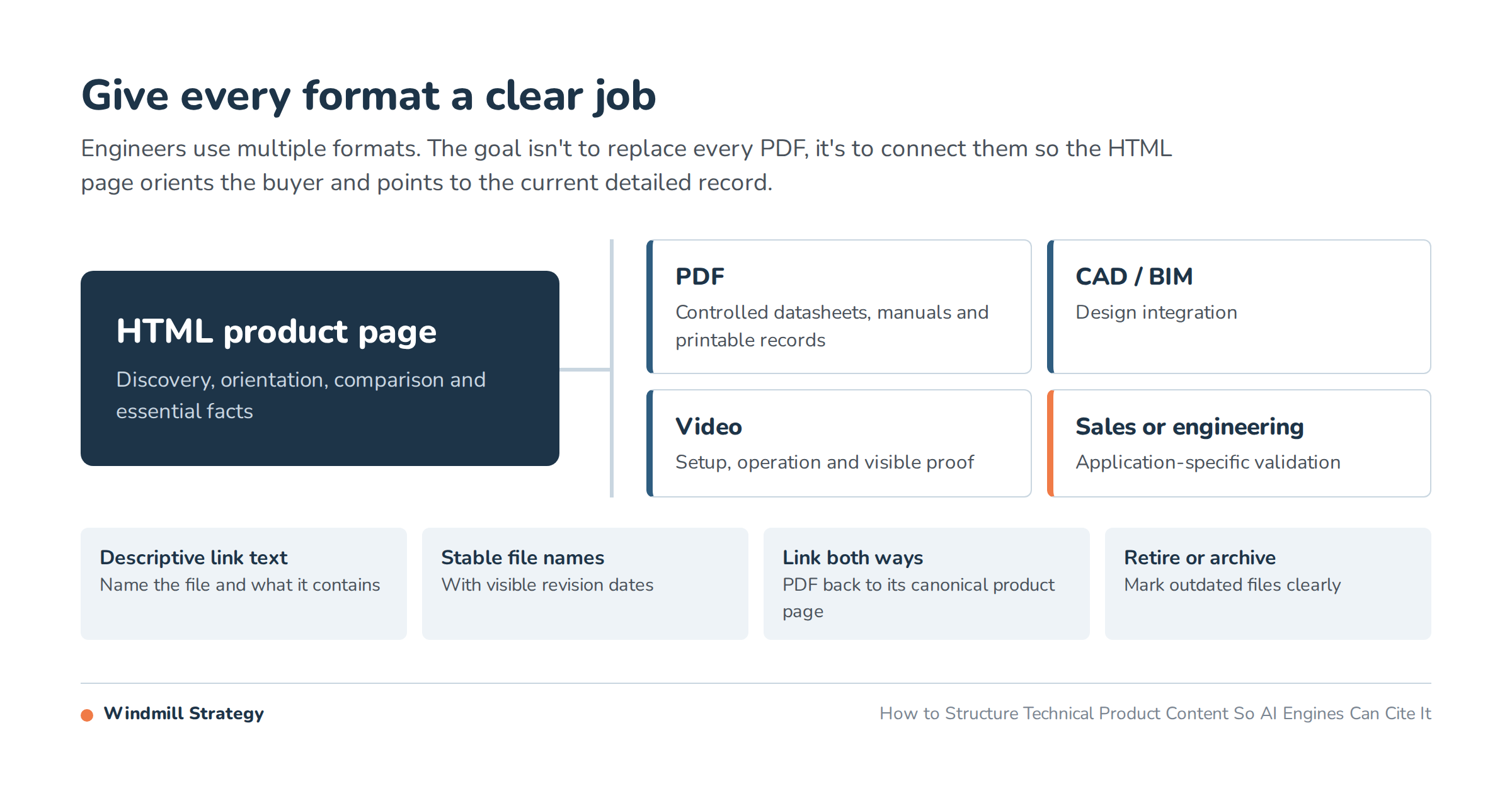
Add structured data without overpromising
Product markup can help systems interpret names, identifiers, brands, images and visible properties. It cannot compensate for missing content or guarantee a citation.
Use product schema markup that matches what a buyer can see. For quote-driven products without public ecommerce offers, focus on accurate identity and specifications rather than inventing price or availability fields.
Validate the deployed markup, not only a code snippet. Check the rendered page after CMS releases and data-feed changes.
Create review and change controls
Technical content becomes risky when nobody owns it. Every priority page should have:
- A content owner
- A technical reviewer
- A last-reviewed date
- A planned review interval
- A source for each maintained specification
- A change path when ERP, PIM or datasheet data changes
Display the information useful to readers—such as reviewer and revision date—without exposing internal workflow details. Keep a lightweight change log when specifications, standards or product names materially change.
Stable URLs matter here. Update a product page in place when its intent and identity remain the same. If a URL must change, use a one-to-one permanent redirect and update internal links, canonicals, sitemaps and external feeds.
A reusable page outline
Use this structure for a priority product or family page:
- H1: official product or family name
- Direct summary: product class, user, application and defining constraint
- Key specifications: HTML table with units and conditions
- Applications: suitable environments and problems
- Limits: exclusions, cautions and engineering-review triggers
- Options: models, materials, interfaces and accessories
- Selection guidance: comparisons and compatibility
- Proof: tests, standards, certifications and case evidence
- Resources: current datasheets, CAD, manuals and video
- Ownership: reviewer, last-reviewed date and contact path
The template should flex by product type. A fabricated component, automation platform and consulting service do not need identical fields. Preserve the decision logic, not a rigid word count.
Prioritize the rollout
Start with pages that combine commercial importance and information gaps:
- Export product and category URLs with organic entrances, conversions and backlinks.
- Ask sales and engineering which pages support active opportunities.
- Score each page for summary, identifiers, HTML specs, limits, proof and ownership.
- Update one shared template and five priority pages.
- Validate indexation, rendering, markup and conversions.
- Expand only after the pattern works operationally.
Use the AI readiness audit for the technical checks and track AI citations as one part of the measurement plan. Review the wider content library with the thin content risks framework so new depth is not buried among conflicting pages.
Windmill’s technical content strategy connects subject-matter expertise, search intent and usable page templates. Our guide to content for engineers offers additional editorial guidance.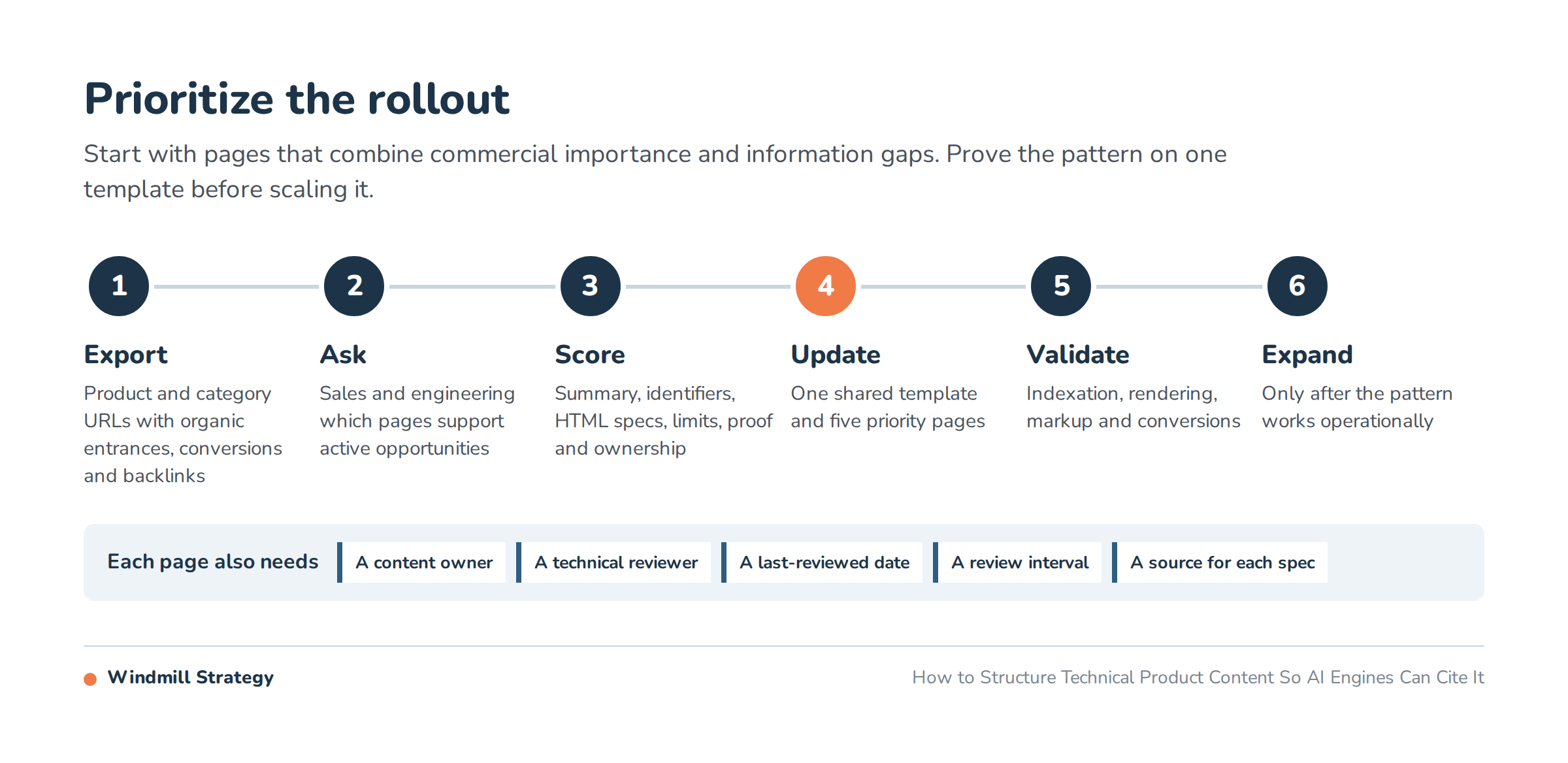
Frequently asked questions
What makes technical content citable?
Clear scope, explicit facts, labeled conditions, stable identity and verifiable evidence make a page easier to use as a source. Citation behavior still varies by platform and query, so no page structure can guarantee selection.
Should specifications stay in PDFs?
Keep controlled PDFs when buyers and quality processes need them, but publish essential selection facts in HTML. The web page should orient the buyer and point to the current detailed document.
Do AI systems prefer short answers?
There is no universal ideal length. Lead with a concise answer, then provide the context required to make it accurate. A qualified technical answer is better than a short but misleading one.
How should tolerances be formatted?
State the nominal value, tolerance, unit, applicable range and test or manufacturing conditions. Keep notation consistent across HTML, PDFs and data feeds.
How often should product pages be reviewed?
Set an interval based on product and regulatory change, then trigger additional review after specification, standard, supplier, datasheet or CMS-template changes. High-value pages should have a named owner rather than an assumed schedule.